Hello everyone. Today we'll learn eBay parsing. Let's start simple and see how the site works from the inside.
What you'll learn from this article:
- How to analyze eBay request structure using DevTools
- Parsing HTML with Python and BeautifulSoup
- Bypassing bot protection with requests-html
- Scaling parser to multiple pages
- Saving results to CSV format
Exploring the Main Page
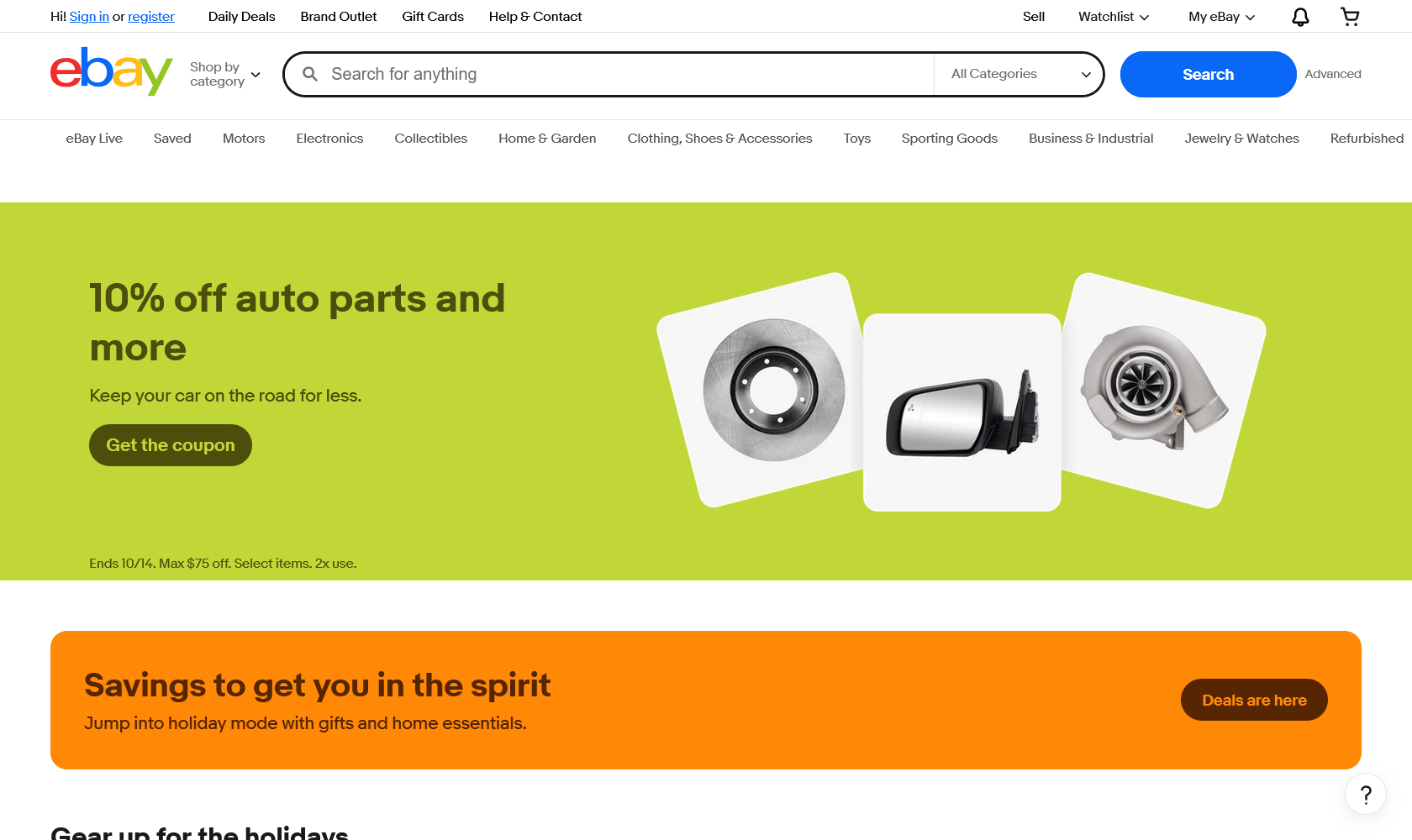
We see the main page. Nothing special here. Let's go to search.
Analyzing Search Requests
We'll work with laptops as an example.
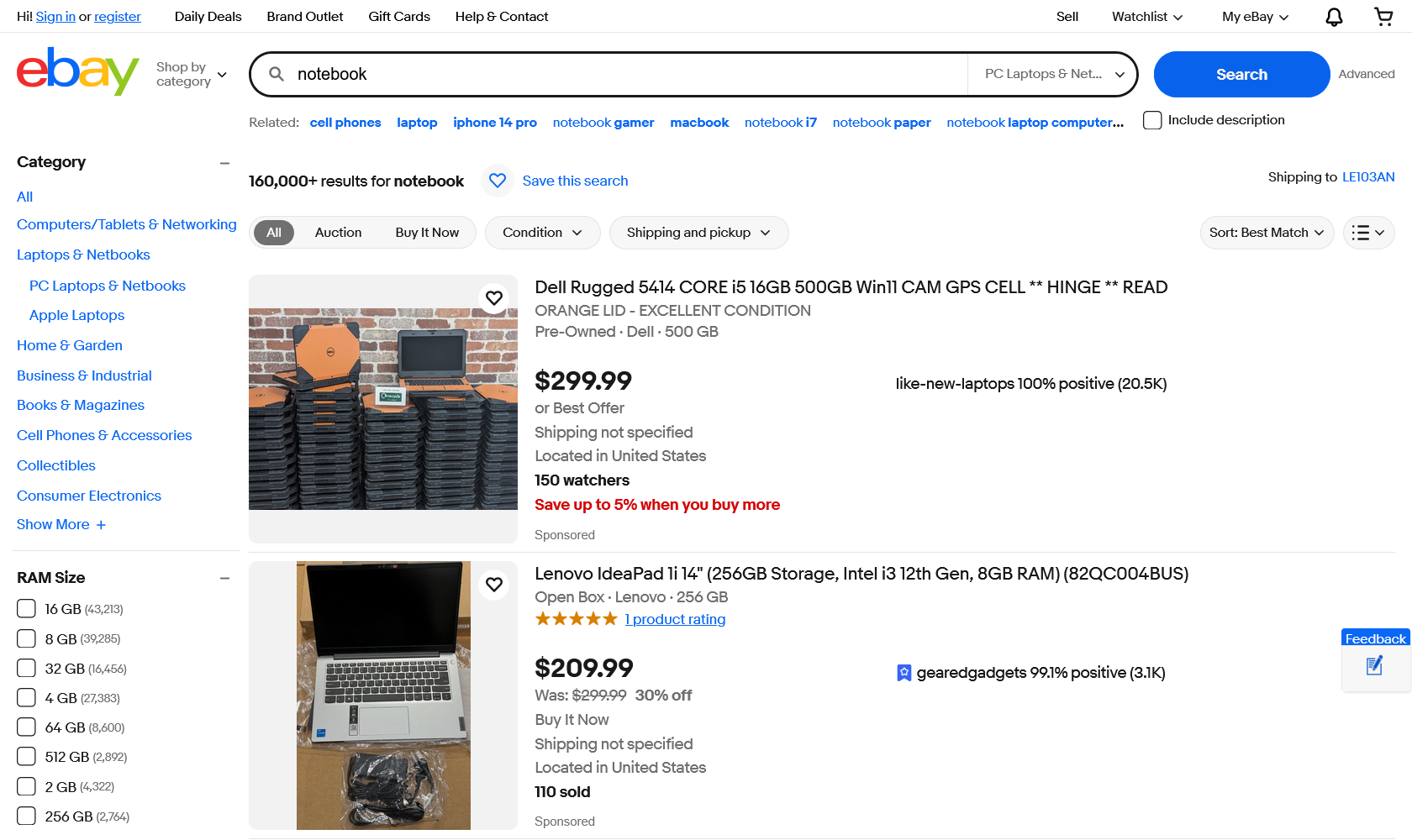
Wrote the query. Now open the console. Press F12, go to Network. Find the request in the list:

Response Structure Analysis
Moving forward. Looking at the response structure. We see a mess of symbols and tags:
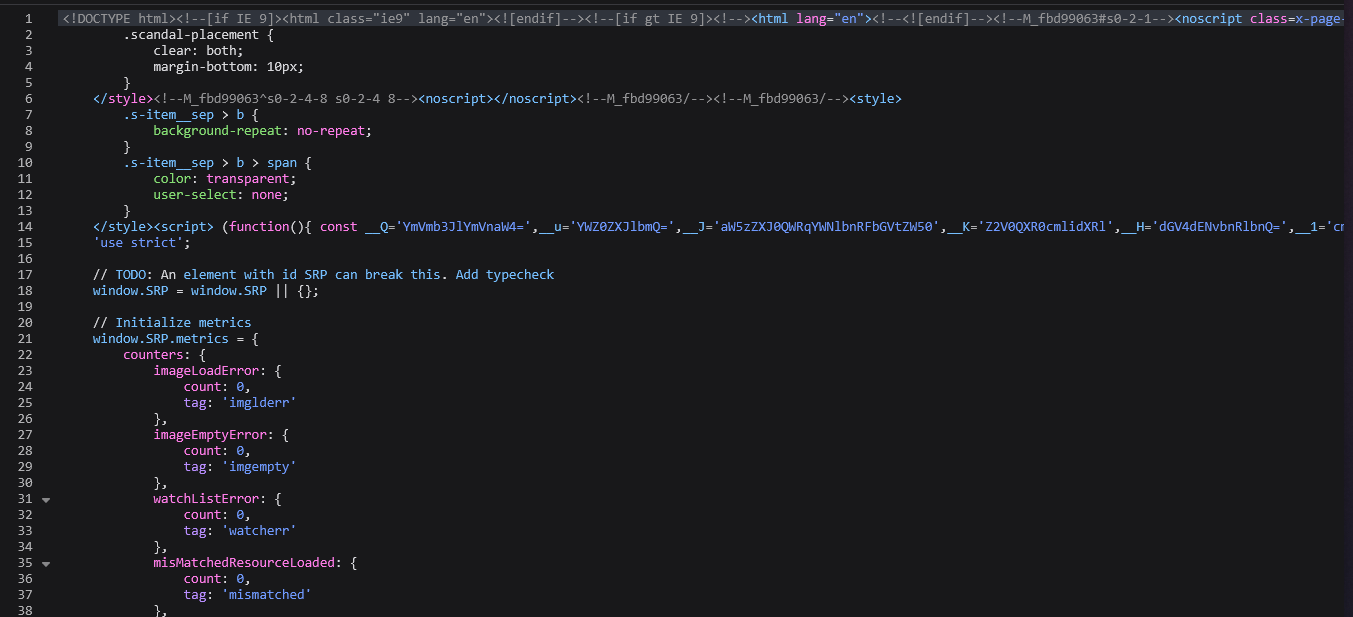
Hard to parse manually. In this case, we can use page search. Take a product characteristic, say "500 gb", and search in the code:
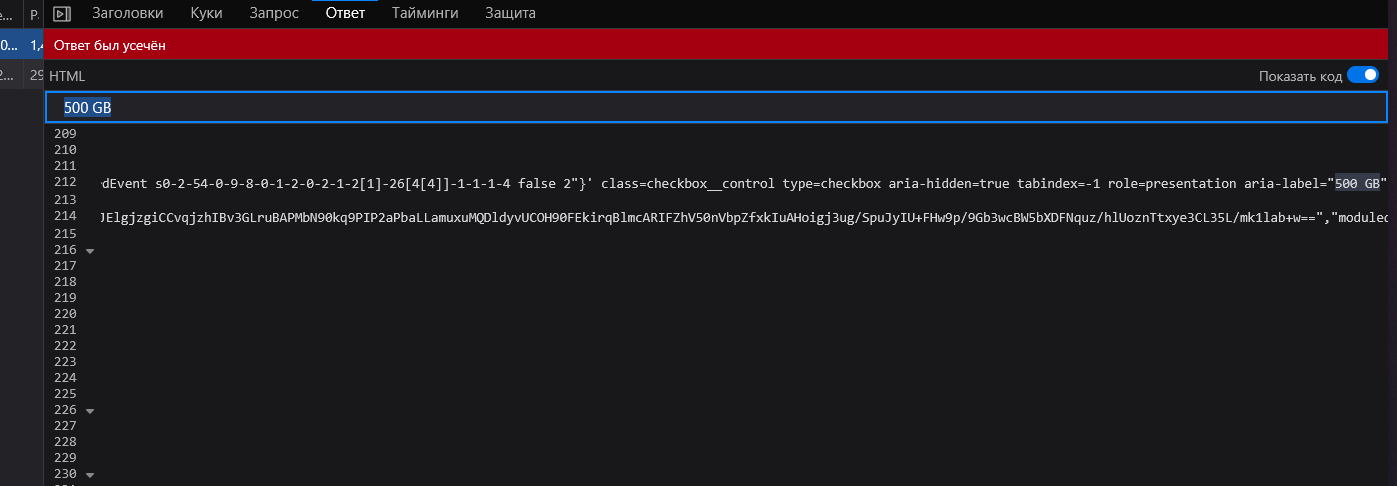
Found matches. Format is not the most convenient to read. Let's try to extract data using Python.
Parsing HTML with Python
First, save the page HTML to a file. Let's call it response.html. Now let's write parsing code.
What we'll do:
- Read HTML file into memory
- Create BeautifulSoup object to work with DOM
- Find all product links (they contain /itm/ in URL)
- Extract product name and ID
- Remove duplicates
- Save results to CSV file
#!/usr/bin/env python3
# -*- coding: utf-8 -*-
"""
Простой парсер eBay - извлекает названия товаров и ссылки из HTML файла
"""

import csv
from bs4 import BeautifulSoup
import re

def parse_ebay_html(html_file):
    """Извлекает названия товаров и ссылки из HTML файла eBay"""

    with open(html_file, 'r', encoding='utf-8', errors='ignore') as f:
        html = f.read()

    soup = BeautifulSoup(html, 'html.parser')
    products = []

    print(f"Анализирую файл размером {len(html)} символов...")

    # Ищем ссылки на товары
    for link in soup.find_all('a', href=True):
        href = link.get('href').strip()
        text = link.get_text().strip()

        # Проверяем, что это ссылка на товар eBay
        if '/itm/' in href and text and len(text) > 5:
            # Извлекаем ID товара
            item_id_match = re.search(r'/itm/(\d+)', href)
            item_id = item_id_match.group(1) if item_id_match else ""

            products.append({
                'id': item_id,
                'title': text,
                'url': href
            })

    # Убираем дубликаты по названию
    seen = set()
    unique_products = []
    for product in products:
        title_key = product['title'].lower()
        if title_key not in seen:
            seen.add(title_key)
            unique_products.append(product)

    print(f"Найдено товаров: {len(unique_products)}")
    return unique_products

def save_to_csv(products, filename):
    """Сохраняет товары в CSV файл"""
    with open(filename, 'w', newline='', encoding='utf-8') as f:
        writer = csv.DictWriter(f, fieldnames=['id', 'title', 'url'])
        writer.writeheader()
        writer.writerows(products)

def main():
    html_file = "response.html"
    csv_file = "products.csv"

    products = parse_ebay_html(html_file)
    save_to_csv(products, csv_file)

    print(f"Сохранено в: {csv_file}")
    print("\nВСЕ ТОВАРЫ:")
    for i, product in enumerate(products, start=1):
        print(f"{i}. {product['title']}")
        if product['id']:
            print(f"   ID: {product['id']}")
        print(f"   Ссылка: {product['url']}\n")

if __name__ == "__main__":
    main()
Result looks like this:
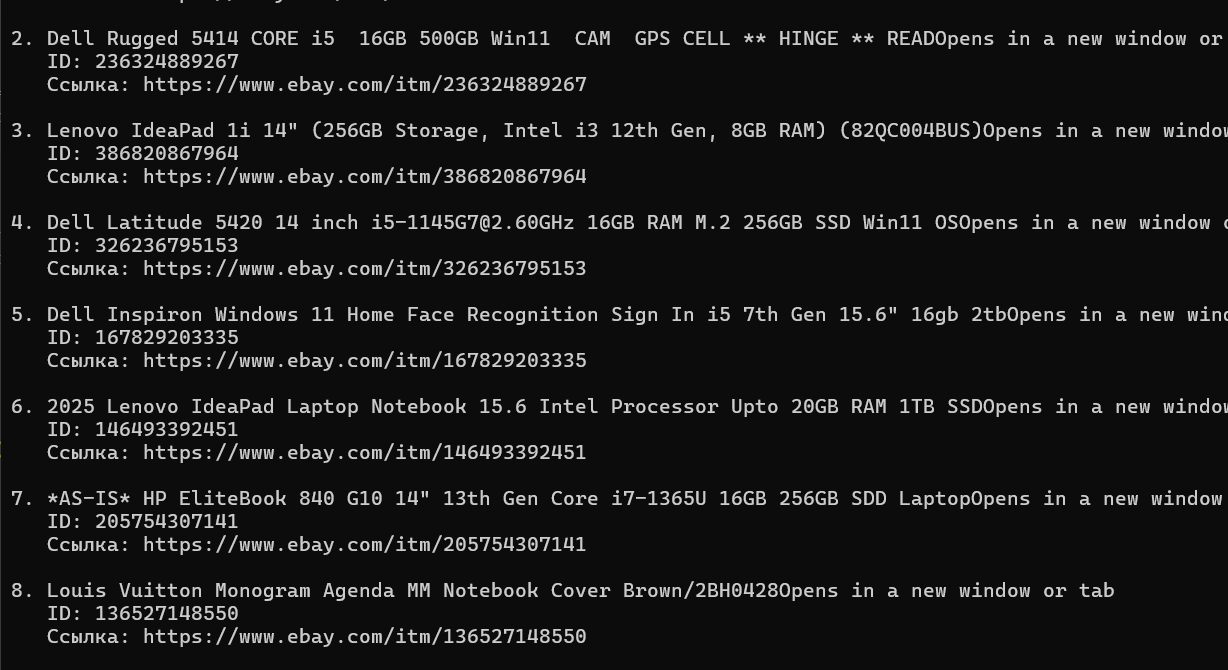
Got a list of products with names, IDs and links. Ready to work with.
Scaling: Parsing Multiple Pages
Moving forward. Parsing one page is useful, but usually you need more data. So we'll need to scale the code to multiple pages.
First, let's figure out how eBay switches pages. Back to the browser. Click on the second page and look at the request:

Right-click and copy the request:
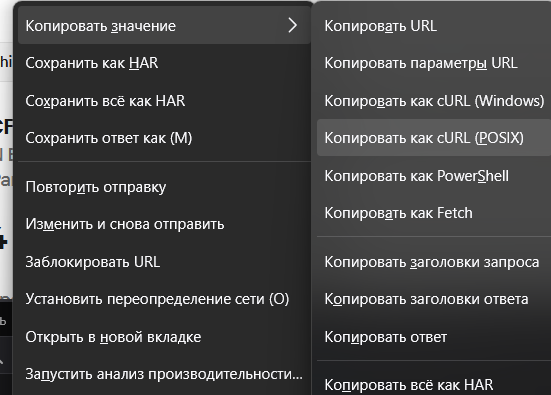
Open POSTMAN or INSOMNIA. Paste the request and look at parameters:
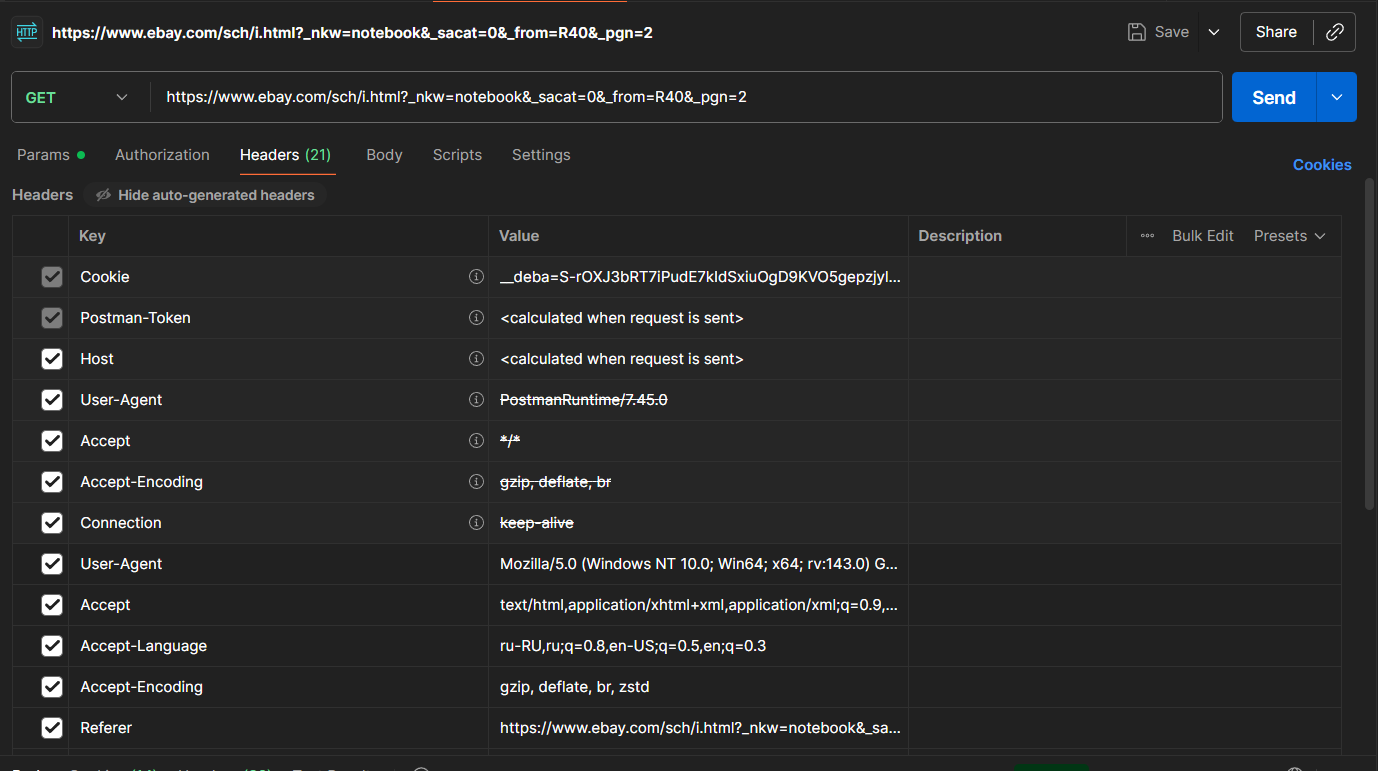
Too much here. Let's try removing cookies:

Better. We see parameter &_pgn=3. It controls the page number. That's all we need.
Important Note About eBay Protection
Warning: Warning: eBay is protected from bots. This complicates parsing.
With regular requests module, you can make about 8-12 requests. Then eBay will start blocking. Protection checks for JavaScript presence in browser.
Simple solution: use requests-html instead of regular requests. This library can execute JavaScript.
Final Code
Now putting it all together. Code below parses multiple pages and saves results to CSV:
#!/usr/bin/env python3
# -*- coding: utf-8 -*-

import csv
import time
import random
from requests_html import HTMLSession
import re
from urllib.parse import urlsplit, urlunsplit

class SimpleEbayParser:
    def __init__(self):
        self.session = HTMLSession()
        self.base_url = "https://www.ebay.com/sch/i.html"
        self.params = {
            "_nkw": "notebook",
            "_sacat": "0",
            "_from": "R40",
            "_pgn": 1
        }
        self.all_products = []

    def parse_page(self, page_num):
        """Loads and parses a single page"""
        self.params['_pgn'] = page_num

        try:
            print(f"Loading page {page_num}...")
            r = self.session.get(self.base_url, params=self.params)
            print(f"Status: {r.status_code}, Size: {len(r.html.html)} characters")

            if 'Checking your browser' in r.html.html:
                print("BLOCKING DETECTED - trying JavaScript render...")
                r.html.render(timeout=15, wait=2, sleep=1)
                print(f"After rendering: {len(r.html.html)} characters")

            with open(f'debug_{page_num}.html', 'w', encoding='utf-8') as f:
                f.write(r.html.html)

            products = self.extract_products(r, page_num)
            return products

        except Exception as e:
            print(f"Error on page {page_num}: {e}")
            return []


    def extract_products(self, r, page_num):
        """Extracts products from HTML"""
        products = []
        links = r.html.find('a[href*="/itm/"]')
        print(f"Found product links: {len(links)}")

        for link in links:
            try:
                href = link.attrs.get('href', '')
                title = link.text.strip()
                if not href or not title or len(title) < 5:
                    continue

                item_id = ''
                match = re.search(r'/itm/(\d+)', href)
                if match:
                    item_id = match.group(1)

                if href.startswith('/'):
                    href = 'https://www.ebay.com' + href
                clean_url = href.split('?')[0]

                price = "Price not found"
                parent = link.element.getparent()
                for _ in range(3):
                    if parent is not None:
                        parent_text = parent.text_content() if hasattr(parent, 'text_content') else ''
                        price_match = re.search(r'[\$€£₽][\d,]+\.?\d*', parent_text)
                        if price_match:
                            price = price_match.group(0)
                            break
                        parent = parent.getparent()
                    else:
                        break

                products.append({
                    'page': page_num,
                    'id': item_id,
                    'title': title,
                    'url': clean_url,
                    'price': price
                })

            except Exception as e:
                print(f"Error processing link: {e}")
                continue

        seen_titles = set()
        unique_products = []
        for product in products:
            title_key = product['title'].lower()
            if title_key not in seen_titles and len(product['title']) > 10:
                seen_titles.add(title_key)
                unique_products.append(product)

        print(f"Unique products: {len(unique_products)}")
        return unique_products


    def parse_multiple_pages(self, start=1, end=3):
        """Parses multiple pages"""
        print(f"Starting to parse pages {start}-{end}")

        for page_num in range(start, end + 1):
            products = self.parse_page(page_num)
            self.all_products.extend(products)
            print(f"Page {page_num}: {len(products)} products")

            if page_num < end:
                pause = random.uniform(3, 7)
                print(f"Pause {pause:.1f} sec...")
                time.sleep(pause)

        print(f"Total found: {len(self.all_products)} products")


    def save_results(self, filename='simple_results.csv'):
        """Saves results to CSV"""
        if not self.all_products:
            print("No data to save")
            return

        with open(filename, 'w', newline='', encoding='utf-8') as f:
            writer = csv.DictWriter(f, fieldnames=['page', 'id', 'title', 'url', 'price'])
            writer.writeheader()
            writer.writerows(self.all_products)

        print(f"Saved to {filename}")


    def print_results(self):
        """Shows results"""
        if not self.all_products:
            print("No results")
            return

        print("\nResults:")
        for i, product in enumerate(self.all_products[:10], 1):
            print(f"{i:2d}. {product['title'][:60]}...")
            print(f"    Price: {product['price']} | ID: {product['id']}")
            print()


def main():
    parser = SimpleEbayParser()
    try:
        parser.parse_multiple_pages(1, 3)
        parser.save_results()
        parser.print_results()

    except KeyboardInterrupt:
        print("Interrupted")
    except Exception as e:
        print(f"Error: {e}")
    finally:
        parser.session.close()

if __name__ == "__main__":
    main()
In the end we get a CSV file with data:
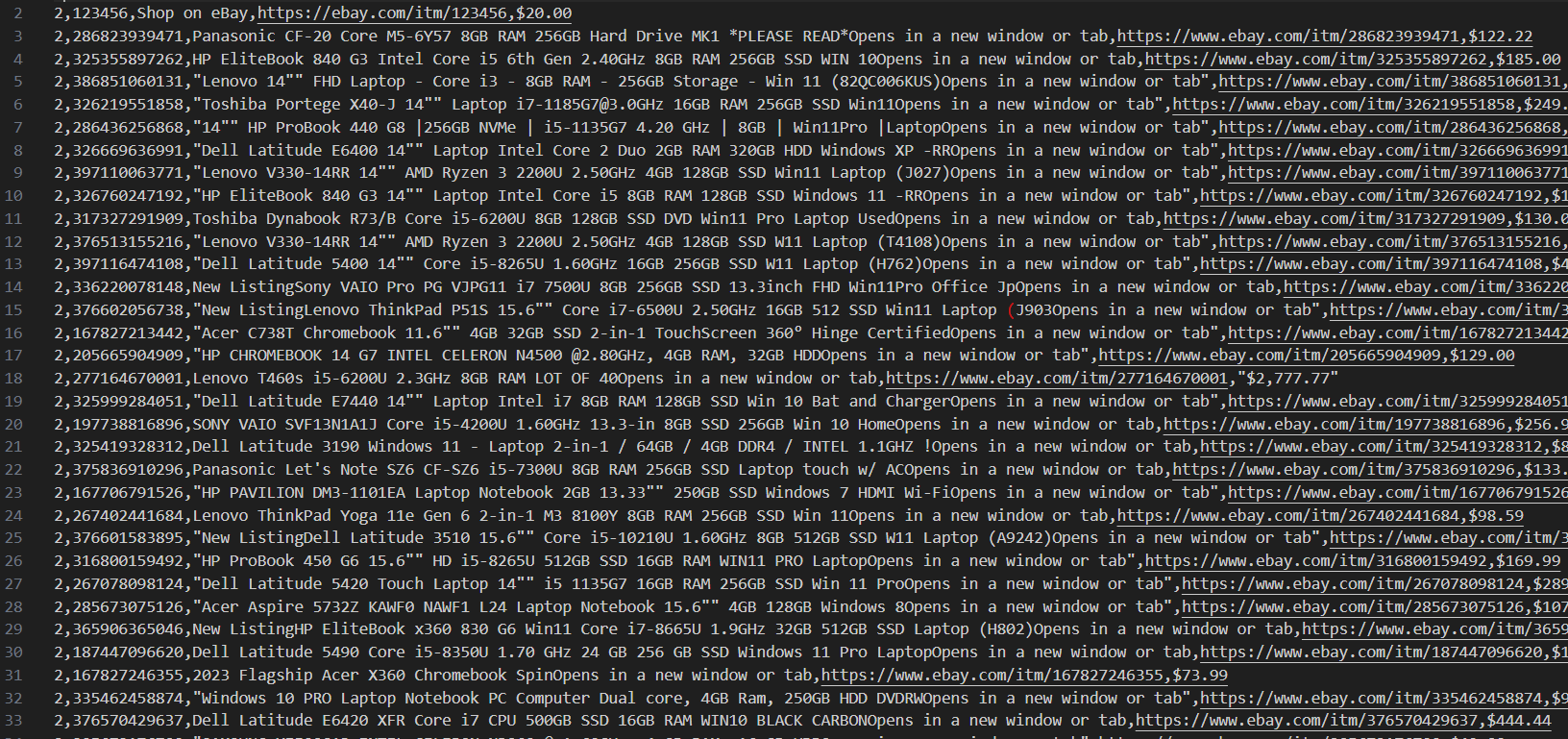
Conclusion
Covered the complete eBay parsing process. From analyzing site structure to working parser with protection bypass. What's important to remember:
- DevTools helps understand request structure
- BeautifulSoup handles HTML parsing excellently
- Requests-html bypasses eBay protection via JavaScript
- Pauses between requests reduce ban risk
- CSV is good for storing results
This approach can be applied to other marketplaces. The key is understanding site structure and accounting for its protection.
Frequently Asked Questions (FAQ)
Is eBay parsing legal?
Parsing public eBay data is technically possible, but you need to comply with site usage rules. Check eBay's terms of use and robots.txt. For commercial data use, it's recommended to use eBay's official API.
Why does requests get blocked after a few requests?
eBay uses bot protection that checks for JavaScript in the browser. Regular requests doesn't execute JS, so it gets blocked quickly. Solution: use requests-html, which can render JavaScript.
Can you parse eBay without saving HTML file?
Yes. The example with saving HTML is for learning. In real code, you make a request directly through requests-html and immediately parse the result with BeautifulSoup.
How many pages can you parse at once?
With requests-html and 3-7 second pauses between requests, you can parse dozens of pages without blocking. But for large volumes it's better to use proxies and distributed requests.
What are the alternatives to BeautifulSoup?
Alternatives: lxml (faster, but more complex), Scrapy (framework for large projects), Selenium (if you need complex site interaction). For simple tasks BeautifulSoup is optimal.
How to update data automatically?
Use task schedulers: cron (Linux/Mac) or Task Scheduler (Windows). You can set up automatic script execution every day or hour to update product database.